
Blog
How to Build a Restaurant Email List in 2026
Discover how to build a restaurant email list in 2026 with proven methods. Capture customer data and boost your revenue today!

How to Build a Restaurant Email List in 2026
TL;DR:
- Building a restaurant email list involves capturing customer contacts through digital and physical touchpoints while ensuring compliance and deliverability. Owned email lists provide a direct marketing channel unaffected by social media algorithms, and effective collection channels include online ordering, QR codes, WiFi portals, and SMS opt-ins. Proper authentication and ongoing list hygiene are essential to maintain spam-free inbox delivery and legal compliance, enabling automated campaigns that activate and grow your audience for sustained revenue.
Building a restaurant email list means capturing direct guest contacts through digital and in-person touchpoints while maintaining compliance and deliverability standards that protect your sender reputation. Restaurants that own their customer contact data hold a direct marketing channel no algorithm can take away. Unlike social media followers, an email list is an asset you control. This guide covers every proven method to collect emails for your restaurant, from QR code ordering to WiFi portals, plus the compliance and automation steps that turn a raw list into repeat revenue.
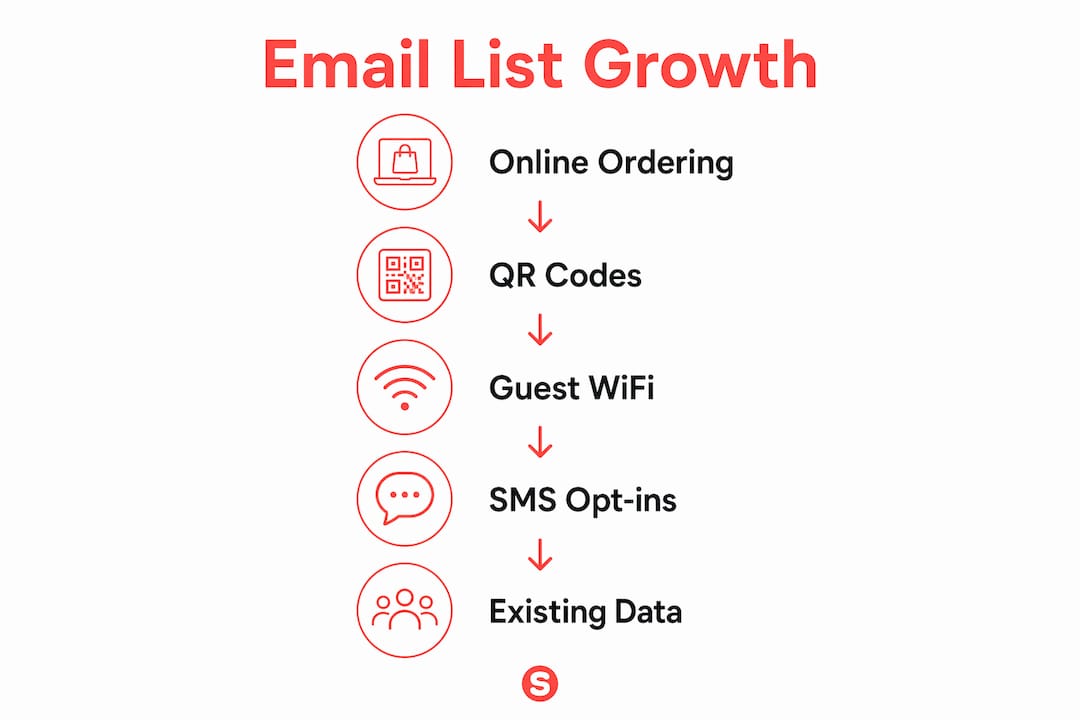
How to build a restaurant email list: the best collection channels
The most frictionless way to collect emails is through direct online ordering. When a guest places an order through your own ordering system, they submit their name, email, and phone number automatically. Direct online orders capture contact info seamlessly and are commission-free transactions, meaning you gain both the data and the margin. Platforms like ChowNow are built specifically to feed that contact data into your marketing stack without any manual work.
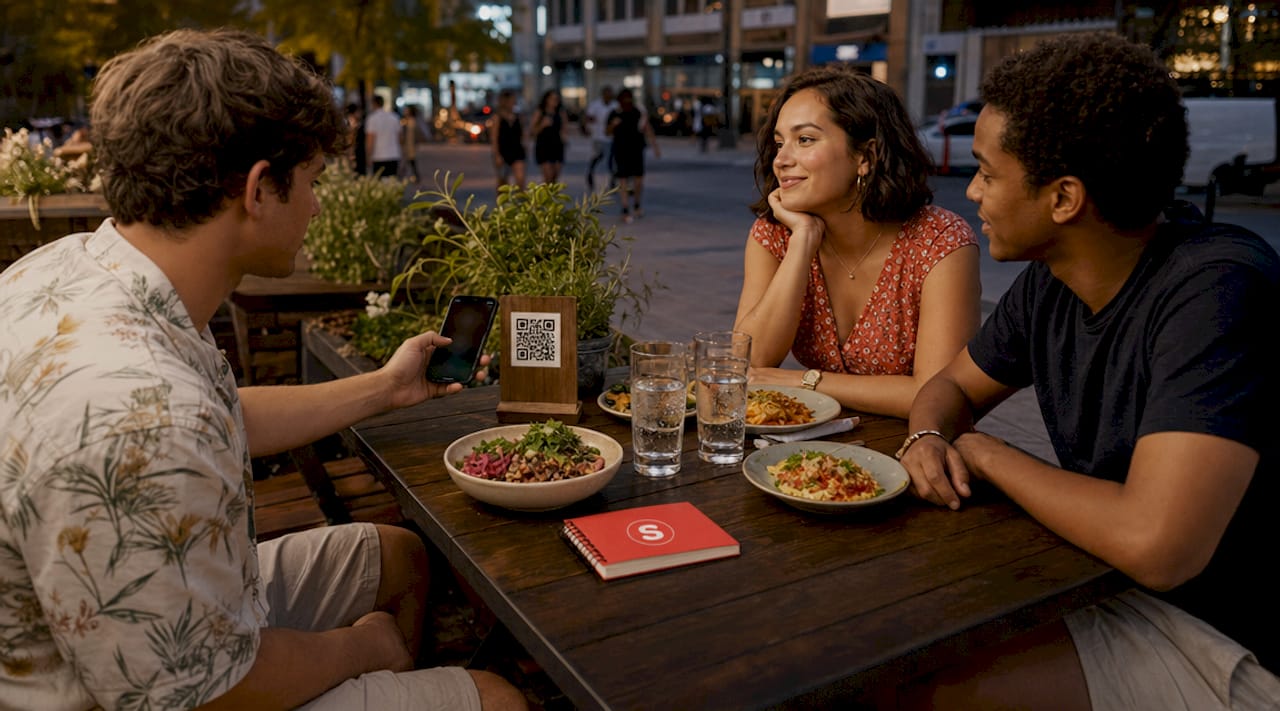
QR code ordering at the table extends the same logic to dine-in guests. Place a QR code on every table that links to your menu and ordering flow, and require an email at checkout. Guests are already on their phones. The friction is minimal, and the capture rate reflects that.
Guest WiFi is the channel most restaurants underuse. Requiring an email to connect to your network is a passive, always-on collection method. WiFi email capture rates can reach 25 to 40% of diners when the login portal is well designed and integrated with a marketing platform. The captive portal’s design and guest experience directly impact both conversion rates and the quality of data collected, so a clean, branded login page outperforms a generic router splash screen every time.
SMS keyword opt-ins add a high-intent layer to your collection strategy. A simple prompt on your receipt, table tent, or social bio, such as “Text TACOS to number] for 15% off your next order,” [converts well because the guest is self-selecting based on a specific offer. These contacts tend to engage at higher rates than passively captured emails.
Finally, do not overlook your existing data. Phone order logs, paper reservation books, and old loyalty program exports all contain contacts you already earned. Uploading existing guest lists via CSV can triple your marketable audience immediately by unifying walk-ins, phone orders, and legacy records into one database.
Pro Tip: Link your WiFi login data to visit frequency so your marketing platform can trigger campaigns based on real behavior, like a win-back offer after 30 days of no visits.
How do compliance and deliverability affect your email list?
List size means nothing if your emails land in spam folders or expose you to legal liability. The legal framework starts with CAN-SPAM. CAN-SPAM requires commercial emails to carry honest headers, a valid physical mailing address, a working unsubscribe link, and opt-out requests must be honored within 10 business days. Violating these rules carries fines up to $51,744 per email, so the mechanics matter.
If you serve guests from California or the European Union, GDPR and CCPA add consent requirements on top of CAN-SPAM. GDPR requires affirmative opt-in before you send marketing emails to EU contacts. CCPA gives California residents the right to know what data you hold and to request deletion. The practical fix is simple: use a checkbox at checkout or WiFi login that reads “Yes, send me offers and updates,” and log the timestamp of that consent.
The technical side of compliance is email authentication. Three protocols protect your sender reputation:
- SPF (Sender Policy Framework): A DNS record that lists which servers are authorized to send email on behalf of your domain. Without it, receiving servers have no way to verify your identity.
- DKIM (DomainKeys Identified Mail): A cryptographic signature attached to every outgoing email that proves the message was not altered in transit.
- DMARC (Domain-based Message Authentication, Reporting, and Conformance): A policy record that tells receiving servers what to do when SPF or DKIM checks fail, and sends you aggregate reports on authentication results.
Missing SPF, DKIM, or DMARC can cause 550 delivery errors and push bulk emails directly into spam. Major inbox providers like Google and Yahoo now require all three for bulk senders. Start your DMARC record with a "p=nonepolicy to monitor without blocking, then review the aggregate reports to identify misaligned sending sources before moving top=quarantineorp=reject`. Maintaining SPF, DKIM, and DMARC alignment is an ongoing process, not a one-time setup, because your sending sources change as you add tools and platforms.
Compliance and deliverability are not optional extras. A list built without authentication and legal opt-in will damage your domain reputation faster than it generates revenue.
Pro Tip: Set a quarterly calendar reminder to review your DMARC aggregate reports. New marketing tools you add, like a review platform or SMS service, may send on your domain and need to be added to your SPF record.
What strategies actually grow and activate your list after capture?
Collecting emails is step one. A list that sits unused is just a database. Automation campaigns that run immediately after capture create the revenue. The three campaigns every restaurant needs are a welcome series, a post-order follow-up, and a win-back sequence.
A welcome campaign should fire within minutes of a guest joining your list. Offer something concrete, like a free appetizer on their next visit or 10% off their next online order. The goal is to convert a first-time guest into a second visit before the memory of their first experience fades. Pair the email with an SMS message for higher open rates.
Post-order follow-ups serve two purposes. They thank the customer, which builds goodwill, and they request a review on Google or Yelp, which builds your public reputation. Time these emails 24 to 48 hours after the order, when the experience is still fresh. A restaurant CRM that logs order data makes this trigger automatic.
Win-back campaigns target guests who have not ordered in 30, 60, or 90 days. A time-limited offer, “Come back this week and get a free dessert,” creates urgency without permanently discounting your menu. WiFi marketing delivers 12 to 22% return visit rate increases when integrated campaigns are triggered by visit data, which shows exactly how powerful behavioral triggers are compared to generic broadcast emails.
Here is how the core campaign types compare:
| Campaign type | Trigger | Primary goal |
|---|---|---|
| Welcome series | New subscriber joins list | Drive second visit with an incentive |
| Post-order follow-up | Order completed | Collect review, reinforce loyalty |
| Win-back campaign | No activity for 30+ days | Re-engage lapsed guests with offer |
| Birthday or anniversary | Date-based trigger | Personal touch, high open rates |
List hygiene is the maintenance task most restaurant owners skip. Remove hard bounces immediately and suppress contacts who have not opened an email in six months. A smaller, engaged list delivers better inbox placement than a bloated list full of inactive addresses. Platforms like Sorbey automate this process so your email marketing workflow stays clean without manual intervention.
What mistakes kill restaurant email list growth?
The most common mistake is relying on a single collection channel. A restaurant that only captures emails through its online ordering system misses every dine-in guest who pays cash or orders at the counter. Building a list requires at least three active capture points running simultaneously.
Purchasing third-party email lists is the mistake with the worst consequences. Bought lists contain contacts who never opted in to hear from your restaurant. Sending to them triggers spam complaints, which damages your domain reputation and can get your sending domain blacklisted. CAN-SPAM compliance governs how you send, not whether buying lists is legal, but the deliverability damage from cold lists is severe regardless of legality.
Overloading your sign-up form is a conversion killer. Every field you add beyond name and email reduces completion rates. Ask for the minimum needed to personalize your first campaign. You can collect birthday information later through a preference update email.
Failing to integrate your collection points with your marketing platform creates fractured data. A WiFi portal that stores emails in a separate spreadsheet, disconnected from your email platform, means those contacts never receive your campaigns. Every capture channel needs a direct integration or automated CSV sync to your central list.
Ignoring unsubscribe requests is both a legal violation and a deliverability signal. Contacts who cannot easily unsubscribe mark emails as spam instead, which harms your sender score for everyone on your list.
Key takeaways
A restaurant email list only generates revenue when collection, compliance, and activation work together as a single system.
| Point | Details |
|---|---|
| Use multiple capture channels | Combine online ordering, QR codes, WiFi login, and SMS opt-ins to maximize list growth. |
| Authenticate your sending domain | Set up SPF, DKIM, and DMARC before sending a single campaign to protect inbox placement. |
| Activate contacts immediately | Launch welcome, post-order, and win-back automations so every new contact enters a revenue-driving sequence. |
| Keep your list clean | Remove bounces and inactive contacts regularly to maintain strong deliverability and engagement rates. |
| Stay legally compliant | Honor CAN-SPAM opt-out requests within 10 business days and log consent for GDPR and CCPA contacts. |
Why most restaurant owners get this backwards
I have worked with enough local restaurant operators to see the same pattern repeat. They spend weeks designing a beautiful email template, then realize they have 47 contacts on their list. The creative work came before the infrastructure.
The order should be reversed. Build your capture channels first. Get your authentication records in place. Connect your WiFi portal, your ordering system, and your reservation platform to a single CRM. Only then does the quality of your email design matter, because now you have an audience to send it to.
The second thing I see consistently is operators treating list building as a project with a finish line. It is not. Your list decays at roughly 20 to 30% per year through natural churn, address changes, and disengagement. The restaurants with the strongest email programs treat list growth as an ongoing operational habit, the same way they treat inventory management.
The email marketing ROI for restaurants is documented at $36 returned for every $1 spent. That number only materializes when the list is large enough, clean enough, and activated through the right campaigns. The technology to do all of this exists and is accessible to independent operators, not just chains. The gap between restaurants that capture it and those that do not is almost always execution, not resources.
— Barthelemy
How Sorbey helps restaurants build and activate their email lists
Sorbey is built specifically for local restaurants that want to own their customer relationships without hiring a marketing team.
Sorbey’s platform connects your online ordering, WiFi portal, and reservation data into one CRM, so every guest touchpoint feeds your email list automatically. Authentication setup, list hygiene, and campaign automation are built in, which means you are not managing SPF records in a DNS panel or manually removing bounces from a spreadsheet. Welcome campaigns, post-order follow-ups, and win-back sequences run on their own once configured. Explore Sorbey’s restaurant marketing services to see how the platform handles list building, compliance, and activation as one connected system.
FAQ
How do I start collecting emails for my restaurant?
Start with your direct online ordering checkout, which captures name and email automatically. Add a QR code at each table that links to your ordering flow, and set up a WiFi login portal that requires an email to connect.
What is the fastest way to grow a restaurant email list?
Uploading your existing guest data via CSV is the fastest single action. One upload combining phone order logs, reservation records, and old loyalty data can triple your marketable audience immediately.
Do I need to set up SPF, DKIM, and DMARC before sending emails?
Yes. Missing these authentication records causes delivery failures and spam filtering. Major inbox providers including Google and Yahoo require all three for bulk senders, and the setup takes less than an hour with your domain registrar.
Can I buy an email list for my restaurant?
Buying a list is legal under CAN-SPAM, but the deliverability consequences are severe. Purchased contacts never opted in to hear from you, so spam complaint rates are high and can get your sending domain blacklisted, harming your ability to reach your legitimate subscribers.
How often should I email my restaurant’s list?
Once or twice per week is the standard for most restaurants. More frequent sending is acceptable during promotions, but consistency matters more than volume. Automated triggers based on guest behavior, like post-order follow-ups and win-back campaigns, outperform broadcast emails sent on a fixed schedule.
Recommended
You might also like

Best Restaurant Loyalty Programs 2026: ROI Guide
Discover the best restaurant loyalty programs 2026 that boost repeat visits. Learn how Sorbey’s platform can transform your guest data strategy!

Why Mobile Marketing Matters for Business Growth
Discover why mobile marketing matters for business growth. Learn how optimizing for mobile drives traffic, conversions, and customer retention.

SF Dim Sum Restaurant Marketing Checklist for 2026
Transform your SF dim sum with our 2026 marketing checklist. Optimize your profile, showcase dishes, and attract customers fast!