
Blog
How to Boost Online Reviews for Restaurants
Learn how to boost online reviews for your restaurant with effective strategies. Turn customer feedback into a competitive advantage today!

How to Boost Online Reviews for Restaurants
TL;DR:
- Restaurants that implement a systematic, automated review request process can significantly increase their online ratings. Responding promptly and professionally to all reviews builds trust and provides valuable operational insights. Timing requests 3 to 7 days after visits and embedding them into daily workflows ensures consistent, genuine engagement.
A restaurant’s online reputation is built review by review, and the owners who grow it fastest share one trait: they have a system. Knowing how to boost online reviews is not about luck or waiting for happy customers to speak up on their own. It requires a repeatable, frictionless process that captures feedback right after positive experiences, using tools like Google Business Profile, QR codes, and automated follow-up messages. This guide gives restaurant owners and managers the exact steps to increase customer reviews, respond to them well, and turn that feedback into a competitive edge.
How to build a frictionless review request process
The single biggest lever for gaining more reviews is designing a system that feels human but runs automatically. Direct Google review links and QR codes drop customers straight onto the review screen in seconds, removing every obstacle between a good meal and a published star rating. When the path is that short, far more guests follow through.

Start by generating your restaurant’s unique review link through Google Business Profile. Print it as a QR code and place it on receipts, table cards, and takeout bags. Every customer who had a great experience now has a one-scan path to leave feedback.
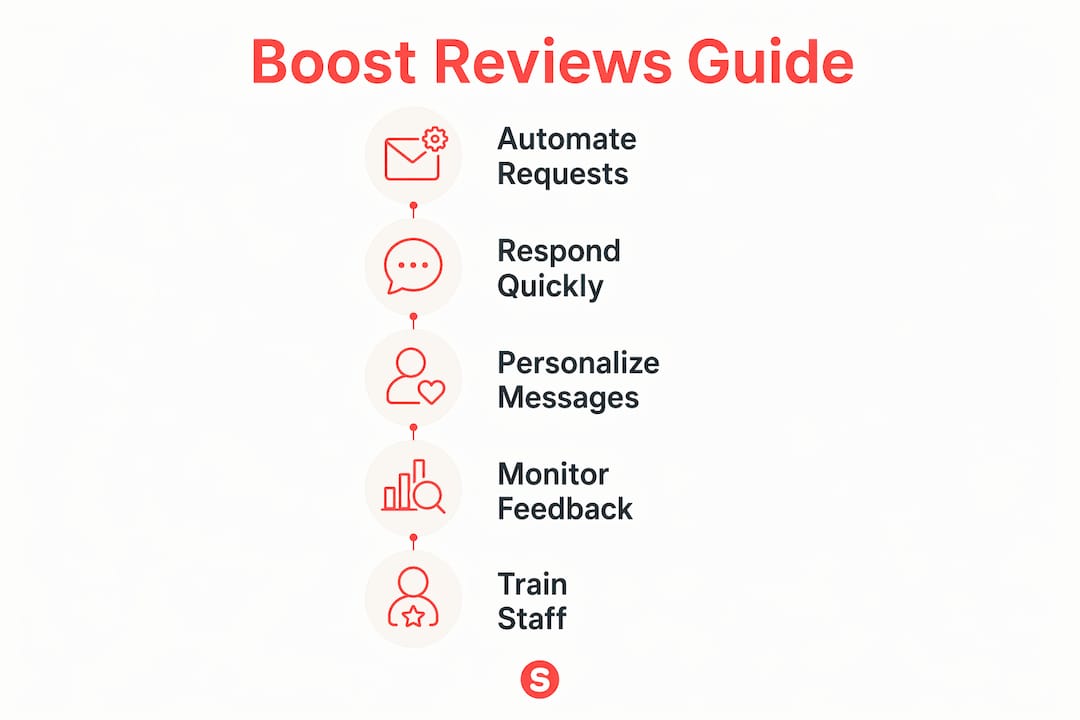
The core workflow looks like this:
- Generate your Google Business Profile review link and shorten it with a tool like Bitly for cleaner printing.
- Embed the QR code on printed receipts, table tents, and packaging.
- Add the direct link to your post-visit email or SMS confirmation.
- Trigger automated follow-up messages 3–7 days after the visit, not at the moment of payment.
- Cap follow-ups at two touches total: one initial ask and one reminder.
Tying requests to objective triggers matters more than most owners realize. Embedding review asks into workflows at payment or order completion removes the dependency on individual staff memory. Consistency goes up, and so does review volume.
Pro Tip: Write two or three short message templates and rotate them monthly. Personalize each one with the customer’s first name and a reference to their visit. Generic messages get ignored; specific ones get responses.
One compliance point worth knowing: Google explicitly prohibits asking customers for specific ratings or keywords. Ask for honest feedback about their experience, nothing more. Violating this policy risks having reviews removed or your listing penalized.
Does responding to reviews actually build trust?
Responding to every review builds customer trust and signals active engagement, which improves both reputation and search visibility. Google and Zendesk both recommend replying to all reviews as a standard practice, not just the negative ones. A response to a five-star review tells future customers that real people run this restaurant and that they care.
Responding to positive reviews
Keep positive review responses short, warm, and specific. Reference something the guest mentioned, thank them by name if it appears, and invite them back. Avoid copy-pasting the same reply to every review. Identical responses look automated and undercut the trust you are trying to build.
Handling negative reviews
Handling negative reviews professionally can increase customer trust more than ignoring them ever could. The formula is simple: acknowledge the concern calmly, apologize without deflecting, and invite the guest to continue the conversation offline. Never argue publicly, and never post a defensive reply in the heat of the moment.
Pro Tip: Set a rule that no negative review goes unanswered for more than 24 hours. Speed signals that you take feedback seriously. A slow or absent reply signals the opposite.
Reply quality impacts brand reputation more than silence does. A thoughtful response to a two-star review can actually convert a skeptical reader into a first-time guest. That reader sees how you handle problems, and that tells them more than a string of five-star ratings ever could.
Reviews are also an underused source of operational intelligence. When three guests in one week mention slow service on Friday nights, that is not a coincidence. It is a staffing signal. Feed that data back into your weekly team meetings.
When should you ask customers for reviews?
Timing is the variable most restaurants get wrong. Asking at the moment of payment feels transactional and often catches guests before they have fully processed the experience. The research is clear: sending requests 3–7 days post-visit produces higher response rates because customers have had time to reflect and the memory is still fresh.
Here is a proven sequence for encouraging feedback online:
- Day 0 (visit or delivery completion): Send a brief thank-you message. No review ask yet. This sets a positive tone and confirms the transaction.
- Day 3–5: Send the first review request. Keep it under 60 words. Include the direct review link. Use the customer’s first name.
- Day 7–10: Send one reminder if no review was left. Acknowledge that they are busy and make the ask feel low-pressure.
- Stop after two touches. Sending a third message increases unsubscribes and damages trust. The data is unambiguous on this point.
Personalization is not optional if you want results. Using a customer’s name and a specific reference to their order or visit increases response rates meaningfully. “Hi Maria, hope you enjoyed the lamb chops last Thursday” outperforms “Dear valued customer” every time. Keep the call to action direct: one sentence, one link, no detours.
How do you integrate review requests into daily operations?
A review strategy that depends on individual staff motivation will always produce inconsistent results. Training staff to ask at specific workflow points, such as payment completion or order handoff, removes that variability. The ask becomes part of the job, not an afterthought.
Assign one person per shift the responsibility of monitoring that review requests go out on schedule. This does not require hours of work. It requires five minutes of daily oversight and a clear checklist.
Use the table below as a starting framework for operationalizing your review process:
| Workflow Stage | Action | Owner | Frequency |
|---|---|---|---|
| Payment or order completion | Hand customer QR code or send direct link | Front-of-house staff | Every transaction |
| Day 3–5 post-visit | Send first automated review request | Marketing or manager | Automated |
| Day 7–10 post-visit | Send one follow-up reminder | Marketing or manager | Automated |
| Weekly review audit | Check Google Business Profile for new reviews | Manager | Weekly |
| Monthly team meeting | Share review themes and service feedback | Manager | Monthly |
Weekly monitoring of Google Business Profile reviews allows early detection of service issues before they compound. Waiting for private complaints means problems have already spread publicly. A weekly 15-minute review audit catches patterns fast.
Review velocity and theme trends function as early diagnostic signals. If your average rating dips two weeks in a row, something changed operationally. If five guests mention the same dish in the same week, that dish is either a winner worth promoting or a problem worth fixing. Either way, you now have data instead of guesses.
Excellent customer service is the base layer under all of this. No review request system will compensate for a consistently poor experience. The system amplifies what is already good. Fix the experience first, then build the request process on top of it. For a deeper look at how your Google profile supports this whole effort, the Sorbey guide to Google Business listings for restaurants covers the setup in detail.
Key takeaways
A restaurant’s review growth depends on a consistent, low-friction request system combined with fast, professional engagement on every piece of feedback received.
| Point | Details |
|---|---|
| Build a repeatable system | Use Google Business Profile links and QR codes to make leaving a review effortless for every guest. |
| Time requests correctly | Send the first ask 3–7 days post-visit and cap follow-ups at two touches total. |
| Respond to every review | Reply to positive and negative reviews within 24 hours to build trust and signal active management. |
| Embed asks in workflows | Tie review requests to payment or order completion so volume stays consistent regardless of staff. |
| Use reviews as data | Monitor weekly for recurring themes and feed insights directly into training and service decisions. |
What i’ve learned about review growth that most guides skip
I have worked with restaurant owners who tried every shortcut: incentivized reviews, bulk request blasts, templated responses copy-pasted across every platform. None of it held up. The restaurants that actually grew their ratings over time did one thing differently. They treated the review process as an operational system, not a marketing tactic.
The hardest part is not the technology. It is getting staff to ask consistently. Most teams ask when they feel like it, which means they ask when things are going well and forget when they are slammed. That inconsistency creates wild swings in review volume that tell you nothing useful. The fix is to remove the decision entirely. When the ask is tied to a workflow step, it happens every time.
The other thing I see owners get wrong is the response strategy. They respond to negative reviews defensively, or they ignore them entirely because they feel unfair. Both approaches cost you. A calm, specific response to a two-star review does more for your reputation than ten five-star replies to glowing feedback. Future customers read how you handle problems. That is the real audition.
One more thing: the language your guests use in reviews is marketing gold. When a guest writes “the best wood-fired pizza I’ve had outside of Naples,” that phrase belongs in your Google Business Profile description, your social captions, and your website copy. Real customer language converts better than anything a copywriter invents. Mine your reviews for it every month.
The restaurants winning on reputation right now are not the ones with the most reviews. They are the ones with the most consistent process and the most genuine engagement. Build the system, protect the quality, and the ratings follow.
— Barthelemy
How Sorbey helps restaurants manage reviews without the guesswork
Running a restaurant leaves little time for manually tracking review requests, monitoring platforms, and crafting responses. Sorbey is built specifically for local restaurants that need marketing to run in the background while the team focuses on service.
Sorbey’s restaurant marketing services include automated review request workflows, real-time Google Business Profile monitoring, and response management tools that keep your reputation active without adding to your daily workload. You get visibility into review trends, alerts when new feedback arrives, and the infrastructure to turn every guest interaction into a potential five-star rating. If you want to see how it fits your operation, optimizing your Google My Business profile is a strong first step.
FAQ
How do i get more google reviews for my restaurant?
Generate your Google Business Profile review link and share it via QR codes on receipts, table cards, and follow-up messages sent 3–7 days after a visit. The shorter the path to the review screen, the higher the response rate.
What is the best time to ask customers for a review?
The optimal window is 3–7 days after the visit or delivery. This timing balances memory freshness with enough time for the customer to have fully experienced the meal or service.
Should i respond to every online review?
Yes. Google and Zendesk both recommend responding to all reviews, positive and negative. Consistent replies signal active management and build credibility with both existing and prospective customers.
How many review request messages should i send?
Send a maximum of two: one initial request and one reminder. Sending a third message increases unsubscribes and can damage your brand’s reputation with customers.
Can i offer discounts or rewards to get more reviews?
No. Google explicitly prohibits incentivizing reviews with discounts, free items, or rewards. Ask customers to share their honest experience and nothing more to stay compliant with platform policies.
Recommended
- Benefits of online reviews for restaurants in 2026 | Sorbey Blog | Sorbey
- Digital marketing checklist for restaurants: boost local visibility | Sorbey Blog | Sorbey
- Review Management Checklist: Boost Restaurant Reputation | Sorbey Blog | Sorbey
- Liste de Contrôle Gestion d’Avis : Boostez la Réputation de Votre Restaurant | Sorbey Blog | Sorbey
Vous pourriez aussi aimer

Why Remarketing Is Important for Restaurants
Discover why remarketing is important for restaurants. Learn how to transform one-time visitors into loyal customers and boost your ROI!

Mobile Marketing Strategies for Food & Beverage in 2026
Discover effective mobile marketing strategies for food & beverage in 2026. Engage customers at the right moment and boost your sales!

Digital Advertising How to Get More Restaurant Customers
Discover digital advertising how to attract more restaurant customers. Learn strategies to fill your dining room with effective campaigns.