
Blog
Social Media Marketing Workflow for Restaurants
Streamline your restaurant's success with a social media marketing workflow. Boost efficiency and engagement with our step-by-step guide.

Social Media Marketing Workflow for Restaurants
TL;DR:
- A social media marketing workflow is a structured process that moves restaurant content from idea to analysis efficiently. Implementing a six-stage process with clear ownership improves consistency, speeds up production, and prevents bottlenecks. Building a content buffer, batch creating, and enforcing a strict approval timeline ensure continuous and effective social media presence for small restaurant teams.
A social media marketing workflow is a systematic, repeatable process that moves restaurant content from idea to published post to performance analysis, without losing time or consistency along the way. Restaurant marketers who adopt a defined workflow report 40–60% faster turnaround on content production and cut reporting time from hours to minutes. That kind of efficiency is not a luxury for a small restaurant team. It is the difference between a consistent brand presence and a feed that goes quiet every time the kitchen gets busy. This guide breaks down every stage of the process, with practical steps sized for solo marketers and small teams.
What stages compose a social media marketing workflow?
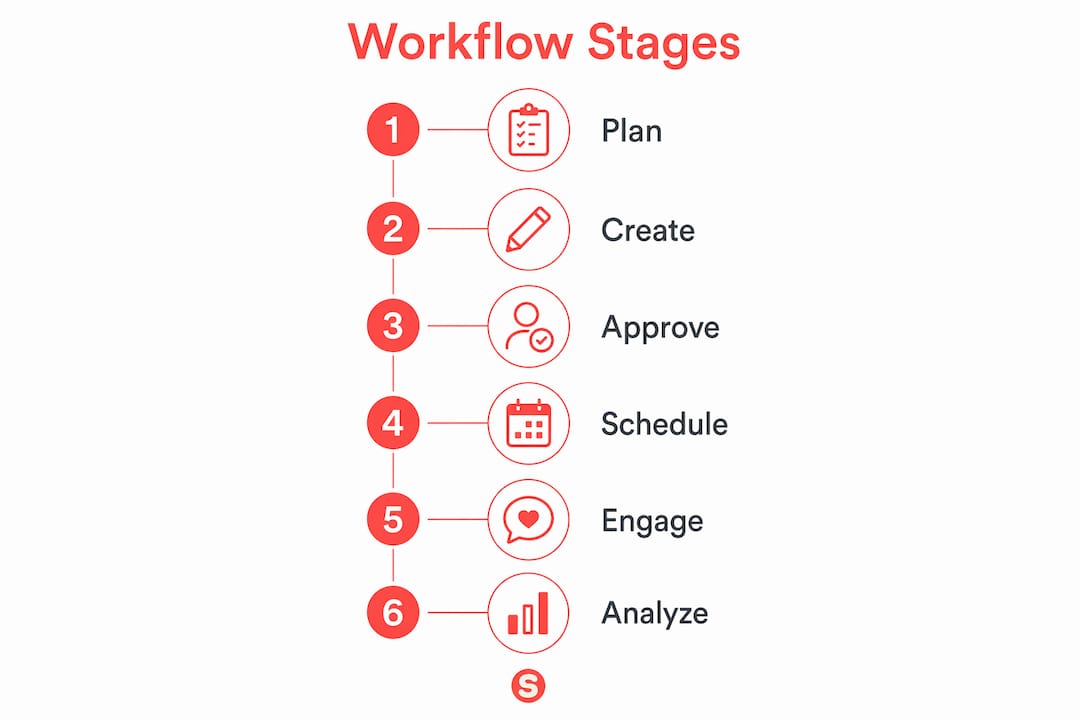
A complete social media campaign process runs through six stages: plan, create, approve, schedule, engage, and analyze. Each stage has a defined input, a clear output, and a responsible owner. Skipping or blending stages is where most restaurant teams lose time.

Stage breakdown and time estimates
| Stage | What happens | Who owns it | Time estimate |
|---|---|---|---|
| Plan | Content themes, post ideas, and calendar slots | Marketing manager | ~45 minutes per week |
| Create | Copy, visuals, and captions produced in batches | Content creator | 1–2 batch sessions per week |
| Approve | Feedback and sign-off on all content | Owner or manager | 24-hour turnaround |
| Schedule | Approved posts queued in scheduling tool | Marketing manager | 15–30 minutes per week |
| Engage | Replies, comments, and DMs monitored | Community manager | Daily, 15–20 minutes |
| Analyze | Performance reviewed; repurposing decisions made | Marketing manager | Monthly or bi-weekly |
The 45-minute planning session at the start of each week sets the direction for everything that follows. Without it, creators default to reactive posting, which produces inconsistent content and missed promotional windows.
The approval stage carries the most risk. Approval bottlenecks cause 70% of revision delays, and the fix is structural, not motivational. Assign one person with final sign-off authority and hold them to a strict 24-hour review window.
Pro Tip: Treat each stage as a separate work session. Planning while creating splits your attention and weakens both outputs. Block calendar time for each stage and protect it.
How do you customize this workflow for a restaurant team?
Restaurant teams face constraints that generic marketing advice ignores: thin staffing, seasonal rushes, last-minute specials, and content that spoils fast if it misses the right moment. The workflow stages stay the same, but the execution adapts.
Build a one-week content buffer
Keeping at least one week of approved, scheduled posts in the queue protects you from disruptions. A broken dishwasher, a staff callout, or a surprise health inspection will not kill your feed if you have content already approved and ready to publish. Build the buffer during a calm week and treat it as a non-negotiable minimum.
Batch creation saves the most time
Batch content creation separated from scheduling reduces cognitive load and builds task momentum. For a restaurant, this means setting aside one or two sessions per week to shoot photos, write captions, and design graphics in one focused block. Do not create and schedule in the same sitting. The mental switching cost is real and it slows you down.
Here is how to structure your weekly rhythm:
- Monday planning session: Review last week’s performance, confirm the week’s promotions, and fill the content calendar with post ideas.
- Tuesday or Wednesday creation batch: Produce all copy and visuals for the next 7–10 days in one sitting.
- Thursday approval checkpoint: Send the batch to the approver with a clear deadline of 24 hours.
- Friday scheduling session: Queue approved posts using your content scheduling tools for the following week.
- Daily engagement check: Spend 15 minutes each morning responding to comments and DMs.
Integrate seasonal and promotional events early
Restaurant content lives and dies by timing. Valentine’s Day prix fixe menus, summer patio launches, and holiday catering promotions need to enter the planning stage at least three to four weeks in advance. Add a recurring monthly planning block to your calendar to map out the next 30 days of promotional hooks before the week-level planning begins.
Pro Tip: Keep a running idea backlog, a simple shared document or note, where anyone on the team can drop content ideas as they happen. Review it every Monday during planning. It prevents the blank-page problem and captures authentic moments before they fade.
Learning how to build a restaurant content marketing workflow from the ground up gives you a foundation that scales as your team grows.
What are the most common workflow pitfalls for restaurants?
Most restaurant social media problems trace back to workflow failures, not creativity failures. The content ideas are usually there. The process to execute them consistently is not.
Approval delays, task mixing, and disconnected tools are the three structural problems that collapse most restaurant social media workflows. Fix the process before adding more content.
The most common pitfalls, and how to address each:
- Approval delays: When feedback arrives three days late, the content queue empties and posting becomes reactive. Enforce a 24-hour approval rule in writing. If the approver misses the window, the content publishes as submitted.
- Task mixing: Planning while creating produces weaker content and takes longer. Separate the two sessions by at least one day.
- Ignoring engagement: Publishing without monitoring replies signals to the algorithm and to guests that the account is unmanned. Block 15 minutes every morning for engagement. It compounds over time.
- Disconnected tools: Using one app for design, a different one for scheduling, a third for analytics, and email for approvals creates manual handoffs at every stage. A successful workflow connects planning, approvals, scheduling, engagement, and analytics in one integrated system.
- No rhythm during slow weeks: Low inspiration weeks are when workflows break down. A content backlog and a one-week buffer prevent the feed from going dark when motivation drops.
Scheduling tools alone are not a workflow. A scalable process requires linked stages for planning, approval, scheduling, engagement, and analysis. Restaurants that treat their scheduling app as their entire system hit a ceiling fast.
What tools support an effective restaurant social media workflow?
Tool selection should follow role definition, not precede it. Picking tools before defining roles causes inefficiencies and leaves accountability gaps. Map out who owns each stage first, then choose tools that fit the actual work.
| Tool category | Primary function | Workflow stage served |
|---|---|---|
| Content calendar and idea backlog | Organize post ideas, themes, and publishing dates | Plan |
| Design tool | Produce graphics, photos, and video assets | Create |
| Scheduling platform with approval workflow | Queue posts and route them for sign-off | Approve, Schedule |
| Unified engagement inbox | Manage comments, DMs, and mentions in one place | Engage |
| Analytics platform | Track reach, engagement, and conversion metrics | Analyze |
For solo restaurant marketers, a single platform that covers scheduling, approval routing, and basic analytics reduces friction significantly. For small teams of two to four people, adding a dedicated design tool and a shared content calendar is worth the extra step. Agencies managing multiple restaurant accounts need role-based permissions and client approval workflows built into the scheduling layer.
Automated reporting within workflows reduces manual errors and cuts reporting time from hours to minutes. That time goes back into planning and creation, where it produces direct results.
The analysis stage is where most restaurant teams leave money on the table. Analyzing performance data and immediately deciding on repurposing, archiving, or refreshing content extends the value of every post you produce. A strong dish photo that performed well in january can become a paid ad in february, a story highlight in march, and a seasonal callback post the following year. Build the repurposing decision into your monthly analysis session so it happens every time.
Understanding why content plans drive organic growth in the food and beverage space reinforces why the planning stage deserves the most attention in your weekly rhythm.
Key Takeaways
A restaurant social media marketing workflow built on six defined stages, clear ownership, and a one-week content buffer produces consistent results that daily improvisation never can.
| Point | Details |
|---|---|
| Six-stage structure | Plan, create, approve, schedule, engage, and analyze are the non-negotiable stages of any working system. |
| One-week content buffer | Keep at least seven days of approved posts scheduled to absorb disruptions without going dark. |
| 24-hour approval rule | Assign one approver and enforce a strict 24-hour feedback window to prevent queue collapse. |
| Batch creation first | Separate creation sessions from scheduling to reduce cognitive load and improve output quality. |
| Repurpose after analysis | Decide immediately after reviewing analytics whether to archive, refresh, or expand each post. |
Why the workflow matters more than the content calendar
Most restaurant marketers I have worked with start by buying a scheduling tool and calling it a workflow. The calendar fills up, the posts go out, and then the engagement drops because nobody is monitoring replies. Or the approver sits on content for four days and the queue empties. The tool was never the problem. The missing structure was.
The real shift happens when you move from daily improvisation to a defined process with named owners at every stage. That is the key difference between struggling and successful social accounts. It sounds obvious until you realize how few restaurant teams have actually written down who approves content, what the turnaround expectation is, and what happens when the approver is unavailable.
Approval is the stage I would fix first in almost every restaurant workflow I have seen. It is the highest-impact bottleneck, and the fix is simple: one person, one deadline, no exceptions. Build it into the tool so it is not a conversation every week.
The other insight that took me time to internalize is the value of the analysis stage as a content generator. Reviewing what worked and deciding immediately whether to repurpose, refresh, or archive a post turns one piece of content into three or four. For a restaurant team with limited production capacity, that multiplier is significant. The social media management tips that actually move the needle are almost always process improvements, not creative ones.
— Barthelemy
How Sorbey supports restaurant marketing teams
Running a restaurant and managing a consistent social media presence at the same time is a real operational challenge. Sorbey is built specifically for local restaurants that need marketing services that cover the full workflow, from content planning and creation to scheduling, engagement, and performance reporting, without requiring a dedicated in-house marketing team.
Sorbey handles the process infrastructure so restaurant owners and managers can focus on the floor. The platform connects the stages that most teams manage across disconnected tools, reducing manual handoffs and keeping the content queue full. If your current social media strategy workflow feels like a series of last-minute decisions rather than a repeatable system, Sorbey’s restaurant marketing services are worth a close look.
FAQ
What is a social media marketing workflow?
A social media marketing workflow is a repeatable, stage-by-stage process for managing content from planning through performance analysis. It defines who does what, in what order, and by when.
How many stages does a restaurant social media workflow need?
Six stages cover the full process: plan, create, approve, schedule, engage, and analyze. Skipping any stage, especially approval or analysis, creates bottlenecks or wastes content value.
How long does each workflow stage take per week?
Planning takes roughly 45 minutes, batch creation runs one to two sessions, and scheduling takes 15–30 minutes. Daily engagement checks run about 15 minutes each morning.
Why do approval delays hurt restaurant social media accounts?
Approval bottlenecks cause the majority of revision delays and empty the content queue, forcing reactive posting. A strict 24-hour approval turnaround with one designated approver prevents this.
Should I pick tools before or after defining my workflow?
Define roles and stage ownership first, then select tools that match the actual work. Choosing tools before defining responsibilities creates accountability gaps and tool overlap.
Recommended
Potrebbe interessarti anche

Why Online Reviews Matter for Urban Restaurants
Discover why online reviews matter for urban restaurants. Learn how they shape consumer trust and influence dining decisions.

Creating Local Ads: A Practical Guide for Local Businesses
Unlock the secrets of effective local marketing with our creating local ads guide. Learn essential strategies to attract more customers today!

Why Track Marketing ROI: A Restaurant Owner's Guide
Discover why track marketing ROI is essential for restaurant owners. Unlock the potential for profitable campaigns and smart budget decisions.